
Gate Access Control Options Explained
Choose gate access control around the people who arrive. Remotes work for everyday drivers, a keypad can handle regular visitors, and a telephone or video intercom lets someone request entry from the gate.
Jump to the access comparison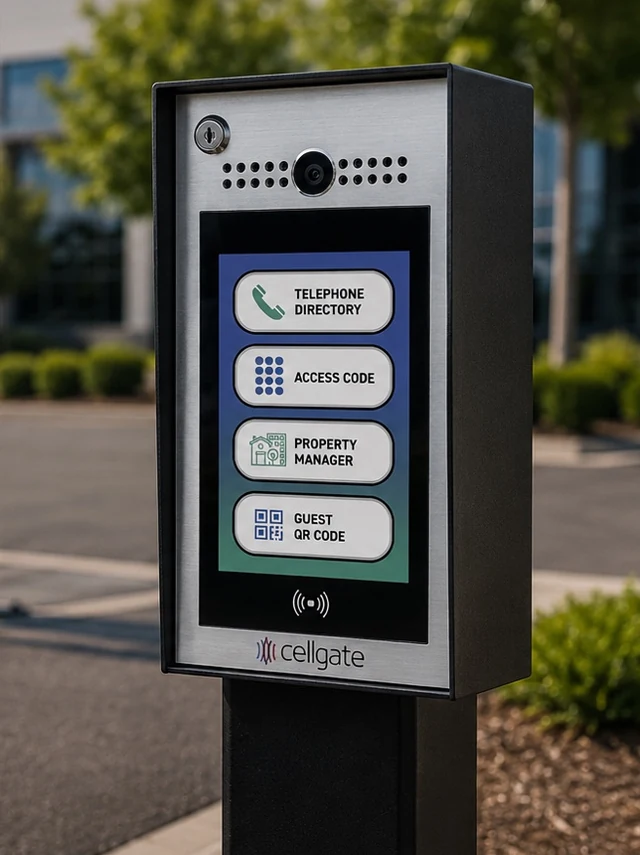
How should people get in?
Pick an arrival to see how that type of gate entry works.
Daily drivers · Remotes
- Resident
- Presses a remote
- Gate opens
Remotes suit the people who use the gate every day. Ask which existing transmitters can carry over and how a lost remote can be removed from the system.
Regular visitors · Keypads
- Scheduled visitor
- Enters a code
- Gate opens
A keypad can let a landscaper or regular guest in without a call. If several people need access, ask about individual codes and schedules. Those features depend on the selected system.
Unscheduled visitors · Telephone entry
- Visitor
- Calls from the gate
- Host grants entry
Telephone entry gives a visitor a way to reach someone who can let them in. Decide who should get the call and what happens when that person is unavailable.
Identify the visitor · Video intercom
- Visitor
- Starts a video call
- Host grants entry
Video can help you see who is at the gate before opening it. Check camera angle, glare and connectivity at the proposed pedestal, especially on a long driveway.
Check the setup at your entrance
Power, signal, and placement
Check whether power and connectivity reach the point where a driver will stop. On an exposed Arizona driveway, look at afternoon glare, how drivers reach the controls, and where the enclosure would sit.
Who manages access?
For an HOA or business, decide who adds residents and staff, turns off old credentials, and handles visitor calls. Bring those decisions into the commercial gate planning conversation.
Plan entry around the people who use your gate.
Get My Free On-Site ReviewWhat to have ready
- Who needs daily, scheduled, or one-time access
- The current opener and entry equipment
- Where a driver can stop and reach the controls